Category Archives: Uncategorized

POT Final Post

Week 1
This blog was my introduction to the class. I expressed some frustration with problems I encountered setting up my blog site, but I also shared that I had enrolled in the POT training class in order to improve my technology skills and my online teaching.

https://wordpress.miracosta.edu/asaxe/2014/08/

Week 2
I discovered via the POT beginner’s questionnaire that I favor a student-centered approach to teaching and learning but that my practice as an online instructor doesn’t necessarily demonstrate my philosophy. I expressed my concerns regarding group activities, and several POT classmates offered helpful suggestions for improving the way I implement group projects. Per the instructions, I uploaded a graphic into my blog.

https://wordpress.miracosta.edu/asaxe/2014/09/11/a-student-centered-or-teacher-centered-approach-to-learning-or-something-in-between/

Week 3
This was the week that really got me to re-evaluate how I organize and run my online classes. In assessing my online course design, I confirmed that some of the activities I current assign in my classes are not only appropriate but also create a sense of class community and instructor presence as well as promote critical thinking. At the same time, reading the text and observing former POT students’ videos provided sample techniques and assignment I could use for saving myself grading time and for allowing more student-to-student interaction.

https://wordpress.miracosta.edu/asaxe/2014/09/19/designing-an-online-course/

Week 4
I had been comfortable with the syllabus I currently use in my online courses until this week’s discussion on creating an online syllabus. Previously, I had considered myself an old pro with regard to syllabus creation. But I learned that a more interactive syllabus complete with colors and graphics is much more engaging and attractive for students.

https://wordpress.miracosta.edu/asaxe/2014/09/25/the-joy-of-the-online-syllabus/

Week 5
This week’s focus on creating an appealing online classroom was a summary of all of the web 2.0 tools that instructors can use in their online classes. I felt woefully inadequate in my profession after the reading and discussion because I rarely use few, if any, of the web 2.0 options available to me. I recognized that I don’t have to be well-versed in every web 2.0 tool, but I do need to grab on to a few of them that will help my teaching. I was also reminded that what I create for my online classes is my intellectual property, and that I need to protect it.

https://wordpress.miracosta.edu/asaxe/2014/10/03/creating-an-appealing-online-classroom/

Week 6
This week’s discussion of student activities in the online environment emphasized how important it is for students to have a shared sense of purpose in the online community. In order to have a positive online learning experience, students also want to be assured that the instructor is present. The reading and discussion centered on interactive activities such as group projects, reflective activities, role playing, case studies emphasized the importance of assignments that require critical thinking. As a result of the readings, I created rubrics for my assignments that clearly outlined both what I require in my assignments and how those assignments will be assessed. I also changed one of my discussion boards to require more interaction between students, and I provided more specific parameters to help students conduct Internet research.

https://wordpress.miracosta.edu/asaxe/2014/10/09/student-activities-in-the-online-environment/

Week 7
I expected to be bored during this week’s discussion of intellectual property, but I found myself carefully considering what constitutes intellectual property and the various ways shared information may be re-created. It was helpful to be made aware of intellectual property law so that I don’t overstep legal and ethical boundaries in using others’ intellectual property. It was also helpful to be taught about open content and how/where I can obtain free educational resources, e.g. online textbooks. I found the mind mapping websites somewhat difficult to navigate, but I can understand their usefulness.

https://wordpress.miracosta.edu/asaxe/2014/10/17/the-use-of-intellectual-property-in-online-classes/

Week 8
This week provided practical instruction on how to use various web 2.0 tools to create audio and video in my online classes. Despite my frustration at not being successful in creating an audio message introducing myself to the class, I appreciated the introduction to the various AV tools and I plan to make use of them immediately. Interestingly, this week was the first time I conducted an advanced Google search!

https://wordpress.miracosta.edu/asaxe/2014/10/24/creating-courseware-in-online-classes/

Week 9
This week I created a short survey on Survey Monkey that assessed whether or not my students were ready for online learning and whether online learning was appropriate for their particular learning style. I was intrigued by the discussion of the current generation of students and how they use technology. For example, our students are increasingly distracted by social media even as they try to “learn”. Facebook, Twitter and the incessant text conversations constantly vie for our students’ focus and attention. This fact reminds me that educations may use students’ knowledge of social networking tools to their advantage by creating assignments and organizing class activities that utilize these technologies. Per the instructions, I created a five-question FAQ page. I admit that I’m not that happy with my product, but at least it’s a start!

https://wordpress.miracosta.edu/asaxe/2014/11/02/getting-students-ready-for-online-learning/

Week 10
The discussion this week regarding managing the online classroom had my head spinning (in a good way!). Never before had I questioned using Blackboard as my class management system. Eric Robertson’s video had me thinking about hard and soft landscapes, and I am asking myself if there is anything that Blackboard does not do that I really want to do on my classes. I appreciate that Eric mentioned that instructors should consider not only what’s available but also what will maximize their strengths. Perhaps another CMS would better enable me to let my real teaching style come through. Through the readings this week I was also introduced to the idea that modern online teaching transcends the traditional CMS/LMS and to the theory of connectivism.

https://wordpress.miracosta.edu/asaxe/2014/11/07/managing-the-online-classroom/

Week 11
In my blog for this week, I discussed online education theory and the various pedagogical philosophies regarding online education. All of the readings this week seem to address the tension between the various pedagogical theories and how this tension may be resolved. The readings also debate the revolutionary qualities of using the Internet for education and the potential it has for turning students into mindless robots with the ability to use technology for the purpose of accessing and obtaining information, but with little ability for self-invention. I wrote about how we are on the verge of identifying a new approach to online education that attempts to bring the pendulum back into the middle, with behaviorism on the one side and connectivism on the other.

https://wordpress.miracosta.edu/asaxe/2014/11/14/thoughts-on-online-education-theory/

Week 12
Along with last week’s discussion, this week’s topic of “open education” forced me to evaluate my thoughts about and comfort level with decentralized online education. Cris Crissman presented the continuum of centralized vs. decentralized online education, and she postulated the idea of online education with no central hub. This seems to me to be a very chaotic approach. But perhaps I don’t yet appreciate the value of the “no hub” online class because I haven’t yet observed an educator who does this, so I don’t really understand how it’s supposed to work. I do know that the Digital Ethnography example that used NetVibes only made me more averse to this type of class. I couldn’t make heads or tails of what was going on in there! I argued that the instructor’s job is not just to get students using all of the latest technology to complete their coursework. The instructor is also responsible for clearly communicating what is expected in the course and how students can meet those expectations.

https://wordpress.miracosta.edu/asaxe/2014/11/26/a-whole-lot-of-sharing-going-on/

Week 13
In my blog this week, I wrote about how present-day online educators are in a great position to take advantage of so many opportunities for networking via personal learning networks. I believe there are times when sharing is valuable and appropriate, and there are times when it is simply sharing overkill. I like the idea of the personal learning network (PLN) proposed by Helen Crump. Putting a filtering system in place that limits the people, articles and books and professional activities I engage with and in would certainly make “sharing” more manageable. I examined how I might share with other educators as I do feel that sharing is an ethical responsibility. Because I have seen from this class the benefits of sharing blogs, I plan to continue blogging after this class. I also agreed with the importance Ko and Rossen place on networking with others and continually seeking to update/improve our online teaching skills. Though I recoil at the suggestion that the online learning “marketplace” dictates the pace of change instructors are expected to keep up with, my experience is that this is true. We must help each other if we’re to keep up with the rapidly evolving landscape of online education.

https://wordpress.miracosta.edu/asaxe/2014/11/21/online-education-outside-the-box/

Week 14
I completed my final presentation on “Establishing Instructor Presence in the Online Classroom”. The reason I chose this topic was because in this class I learned just how important it is to students to maintain a connection with their instructor even when a class is online. I also feel that though I try to engage with my students, my heavy workload and lack of time prevent me from engaging as much as I think a good online instructor should. To better understand what’s most important to online students so that I can focus my efforts toward those factors, I based my presentation primarily on a recent study entitled “The Indicators of Instructor Presence that are Most Important to Students in Online Courses”.

https://www.youtube.com/watch?v=HZVwYzM7q2c&feature=youtu.be

A Whole Lot of Sharing Going On

https://c1.staticflickr.com/9/8056/8100966908_d734cd2894_z.jpg

Online educators are in a great position these days to take advantage of so many opportunities for networking. Not too long ago, the way I would network with fellow educators was by attending conferences that were far away and a hassle to get to. In the present, however, support and ideas for improving my teaching are literally a click away.

In the video “Sharing: A Moral Imperative”, the narrator states that we are on the verge of a “sharing” revolution. The stats provided in Alex Couros’ video make this more than clear! I believe there are times when sharing is valuable and appropriate, and there are times when it is simply sharing overkill. The most relevant and useful sharing occurs when educators offer their experiences with teaching techniques, technologies, classroom management, pedagogy, etc. However, I must ask how the busy instructor can expect to keep up with all of the “sharing” that is out there? I like the idea of the personal learning network (PLN) proposed by Helen Crump. Putting a filtering system in place that limits the people, articles and books and professional activities I engage with and in would certainly make “sharing” more manageable. I discovered this easy-peasy link on how to build your own PLN along with a video explaining more about what a PLN is.

https://www.youtube.com/watch?feature=player_embedded&v=hLLpWqp-owo

There is a lot of opportunity to learn from what others share, but what about me “sharing” with other educators? I have seen from this class the benefits of sharing blogs, and I plan to continue blogging after this class. The “Virtues of Blogging” article prompted questions for me because though I find blogging valuable, up to this point I haven’t considered blogs as recognized professional publications. In Weller’s article, he states “..it would be difficult to argue that the blog does not constitute widely accepted definitions of scholarly research.” But I would argue that blogs do not fit the definition of scholarly research because many blogs are written from a particular political perspective, they are not usually peer-reviewed prior to publication, and they often do not reference where the factual information presented came from. But if the academic community recognizes blogs as scholarly research, and educators are expected to publish them, then I would much rather post a blog than go through all of the red tape and waiting that comes with publishing a journal article!

Is sharing a moral imperative? I rather agree more with the statement that it’s an “ethical responsibility”. I was touched by the anecdotes in the “Sharing” video as folks described the positive experiences people had with sharing photos and stories. And I agree that people generally enjoy sharing themselves – just look at all of the minutiae people post on Facebook! I also agree with the importance Ko and Rossen place on networking with others and continually seeking to update/improve our online teaching skills. Though I recoil at the suggestion that the online learning “marketplace” dictates the pace of change instructors are expected to keep up with, my experience is that this is true. We must help each other if we’re to keep up with the rapidly evolving landscape of online education.

On another note, in all honesty I have no idea what I will do my final presentation on. It will largely depend on which Web 2.0 tool I am most comfortable using at this point. The changes I want to make in the short term in my classes are adding a welcome video, providing an online class tour, developing a presentation via Prezi, and creating a group project where students present their final product as either a wiki or a blog. I’d love to hear everyone’s input on these ideas and get some clarity.

Online Education Outside the Box

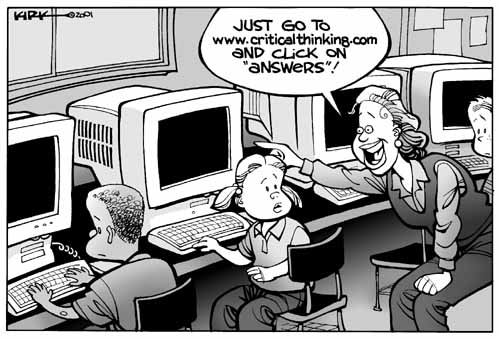
critical-thinking-cartoon

This POT training has opened my eyes to the many options and possibilities for online teaching. I have to admit that I feel like I started this class as a well-intentioned but naive online instructor, and while I am now intimidated and overwhelmed by the options that I now know are available to me I am also grateful for the education. I now have the tools to step out of my own comfortable little box and provide my students with a more effective and interactive online learning experience.

From our lessons, I’ve been able to evaluate what changes I think will be best for me as an instructor and also for the specific discipline that I teach. I also feel that the age and experience of the students should determine how online classes are constructed. For example, the setup for an online class whose demographic primarily consists of undergraduate students taking an introductory online class might be different from an online class for graduate students just as it is in the face-to-face classroom.

Because I teach undergraduate students, most of whom are between 18-20 years old (and some of whom are taking their first online class ever), I would definitely avoid overcomplicating my online classes and making them appear chaotic to students. Cris Crissman presented the continuum of centralized vs. decentralized online education, and the postulated the idea of online education with no central hub. This seems to me to be a very chaotic approach. But perhaps I don’t yet appreciate the value of the “no hub” online class because I haven’t yet observed an educator who does this, so I don’t really understand how it’s supposed to work. I do know that the Digital Ethnography example only made me more averse to this type of class. I couldn’t make heads or tails of what was going on in there! What were students supposed to be posting and blogging about? What were they supposed to be reading or researching? Going into an online classroom like that would give me a huge headache! I’m assuming that the professor provided some type of instruction that I didn’t find on the website (at least I hope so!).

I feel as though I’ve already expressed this sentiment in my previous blogs, but I still feel strongly that the instructor’s job is not just to get students using all of the latest technology to complete their coursework. The instructor is also responsible for clearly communicating what is expected in the course and how students can meet those expectations. In this regard, I concur with the survey results in the “Using Online Technologies” article. When asked, “What could have been done to make this (open education) course a better experience for you?”, some of the responses referenced students’ uncertainty about how to progress in the course: “The timeline of the course was somewhat confusing,” and “I have lacked information on the progress of the course”.

In summary, I am all for using new and innovative approaches and technologies in online education if they improve the learning and the experience for the student. It’s only when these approaches and technologies confuse or overwhelm students that they’re not appropriate.

Thoughts on Online Education Theory

Online education has forced educators to reevaluate their teaching philosophies, and there is much discussion about the various pedagogical philosophies and how to integrate/synthesize them. It seems we are on the verge of identifying a new approach to online education that attempts to bring the pendulum back into the middle, with behaviorism on the one side and connectivism on the other (see George Siemens’ brief summary of Connectivist Learning Theory), and cognitivism and constructivism somewhere in the middle. All of the readings this week seem to address the tension between the various pedagogical theories and how this tension may be resolved.

The readings also debate the revolutionary qualities of using the Internet for education and the potential it has for turning students into mindless robots with the ability to use technology for the purpose of accessing and obtaining information, but with little ability for self-invention.

My beliefs about education tend to fall somewhere in the middle of this continuum. I agree that there is a place for traditional approaches to education (e.g. memorization and lectures), and I also believe that knowledge may be constructed and obtained socially and externally. Interestingly enough, this has been a topic of discussion among the parents at my son’s elementary school as they introduce the Common Core State Standards that California and a number of other states have adopted. Parents were recently given an opportunity to observe a sample math lesson designed to meet the Common Core standards. Much of the focus was on getting students to identify patterns and develop strategies to solve problems. While it was obvious the students were using their critical thinking skills, a number of parents (myself included) questioned why the students weren’t also being taught how to add double digit numbers using the old-school column method (remember to carry the one!). We felt that students needed to learn BOTH in order to both arrive at the correct answer to an easy-to-solve problem quickly and to apply strategies for solving new types of problems.


It seems to me that if education continues to go the way of connectivism, the knowledge we have as instructors of a specific discipline will diminish in importance. Will instructors and good old-fashioned books become irrelevant as Sanger suggests? Or will the knowledge we have obtained benefit our students because we can guide and redirect them when their self-constructed knowledge goes awry? I hope I won’t just become a “classroom guide” to my students, showing them how to use various Web 2.0 tools and connecting them with other students in the class. My hope is that I will continue to play an important role in sharing information with my students, while simultaneously learning with them and from them.

Managing the Online Classroom

Ok, my brain hurts after all of the reading for this week. But the different perspectives on how a CMS/LMS may impact my pedagogy, class design and class management were very thought provoking.

The two community colleges where I teach online both use Blackboard as their CMS. For all of these years, I have been content with that platform and I had never even considered using an alternative LMS until this week. I’m not sure if I even have the choice where I teach. But I am now thinking about the hard and soft landscapes that Eric Robertson described in his video, and I am asking myself if there is anything that Blackboard does not do that I really want to do on my classes. I appreciate that Eric mentioned that instructors should consider not only what’s available but also what will maximize their strengths. Perhaps another CMS would better enable me to let my real teaching style come through.

I readily admit that I was a novice when I first began teaching online. There were no classes offered about how to use the various technologies or about how to transfer pedagogical practices and philosophies to the online environment. And even as I’ve become more of a seasoned online instructor, I can still observe more lack of Web 2.0 know-how than I’d like to see in myself. You would think this would motivate me to learn more about the technologies available to me to improve my online teaching, but one of the sentences in Lisa’s article describes me well: “They [online instructors] want speed and ease of use rather than more features.” Yep, that’s me!

At the same time, I firmly disagree with the statement in Lisa’s article that “Novices happily use the high-tech CMS as a glorified copy machine”. Though I am guilty of uploading Word documents and .pdf’s into my online classes and writing text in the designated WISYWIG boxes, I don’t feel that this has undermined my teaching. I believe what’s important is finding a happy medium between the overuse of Web 2.0 and not taking advantage of what the various technologies have to offer. I don’t want to overwhelm my students with too many bells and whistles and bog them down with all of the instructions I would need to give them. Some features would definitely detract from the objectives I’m trying to achieve in my courses. But I am very open to adding features that will enhance the online education experience for my students. Just this morning I was given a demo from my classroom textbook’s publisher explaining their own LMS, and I definitely discovered aspects that I could incorporate into my own CMS!

On the other hand, I am resistant to incorporating some new features because I get so frustrated with technical problems that often result. Case in point: It’s been a week now that I can’t read any of your blogs nor can I access my own blog on WordPress! Anthony Ginger at MiraCosta is working on this, but for now I have to type my blogs into my iPad. Also, I still have not been able to figure out how to get my webcam and microphone to work. I may have to call in one of the Geek squad to come and figure this out. That or I might just take a sledgehammer to my computer! I really don’t want to put my students through this kind of frustration by making them use all sorts of tools when some of them are just learning how to navigate through Blackboard.

It’s interesting that Ko and Rossen outline the bare basics of classroom management while the three articles discuss how modern online teaching transcends these elements. After all is said and done, I believe a happy medium between the linear “cognitive-behaviorist” approach and the “connectivist” approach benefits students most. As the three generations article explains, “Learning in connectivist space is, paradoxically, plagued by a lack of connection. In connectivist space, structure is unevenly distributed and often emergent, with that emergence seldom leading to structure that is optimally efficient for achieving learning goals.” As with everything we are learning in this POT class, the essential question is will this feature, function or CMS/LMS enhance or detract from my teaching and goals for this class? 

I discovered a site that describes numerous class management software programs. My apologies, but you may have to copy and paste the link.:-(

http://www.capterra.com/classroom-management-software/


Getting Students Ready for Online Learning

Online Physical Geography

Frequently Asked Questions (FAQs)


1. Do I have to use the same textbook edition as the instructor, or can I use a previous edition of the text?

Students are welcome to use a previous edition of the required textbook. Generally, the information in previous editions is the same with a few minor exceptions. However, it is important to note that the page numbers I reference in the online lectures and in announcements will likely not correspond to the page numbers in previous textbook editions. Also, the graphics and tables are obviously more current in the most recent edition.


2. When will grades be posted?

Grades will be posted on Blackboard within one week of an assignment due date on Monday, e.g. grades for the Introductions Assignment (due by Monday, August 25th) will be available on Blackboard by Monday, September 1st. Grades will generally be posted earlier, but it is not guaranteed. Note: The one week grade posting applies only to those materials that the instructor must grade, e.g. discussion boards and assignments that have short answer questions. Grades that are automatically calculated by Blackboard, such as quizzes consisting exclusively of multiple choice questions, should reflect in the Blackboard grade book immediately after an assignment/exam is submitted.


3. Is there extra credit in this class?

I generally do not offer extra credit, though there may be an extra credit opportunity or two if a relevant event comes up that I want to encourage students to attend.


4. If I miss an assignment, will I be able to complete the assignment late for partial credit?

Make up work (including exams) will not be accepted other than for extreme emergencies that can be verified in official written form, e.g. doctor’s note, etc. Students requesting to make up missed work MUST contact me before the assignment deadline (unless the emergency prohibits). It is highly recommended that students give themselves plenty of time to complete the required assignments and exams. Waiting until 11:00 p.m. on the Monday evening that something is due increases the probability that your work will not arrive electronically by 11:59 p.m., and I do not accept late work (that includes work turned in at 12:00 a.m.)! If your computer crashes or some other glitch occurs at the last minute (including illness), it will be too late for me to help you.


5. Will you round up my grade when I am only 1% from an A?

The grading scale for this class is as follows: 90-100=A, 80-89=B, 70-79=C, 60-69=D, 0-59=F. A student’s final grade is determined objectively by how many points he/she earns out of the total possible points. Though I appreciate that a student has worked very hard to earn an A, grades are not determined subjectively. And in fairness to all students it is only ethical to stick to the grading scale.


Here is the link to the very short survey. Sorry I can’t hyperlink it – I’m typing this on my iPad due to technical difficulties with my PC and WordPress.:-(

https://www.surveymonkey.com/s/3D5LQDS


Creating Courseware in Online Classes

This is the week I was worried about! I expected that at some point in this class I would be required to upload some sort of audio into my blog. Though I have read about many potential web 2.0 tools I could be using in my classes and that I recognize as valuable, I always dread the day I have to actually LEARN the technology! How sad is that for an online instructor?

Actually, it’s not that I really mind learning the technology. It’s actually about all of the troubleshooting that I have to go through to make something finally work. It never seems to fail.

I’ve been wanting to at least incorporate audio messages to my students. But I’ve just spent over an hour trying to find out how to record an audio message onto my computer in order to be able to load it into audioBoom, and it still isn’t working. I’m guessing that I either need a new microphone or that what I thought was a microphone isn’t one at all, which means I’ll be making a trip to Best Buy, Radio Shack or some other such store that sells a reliable and very user friendly computer microphone. In the meantime, here is my silent introduction to my class:

https://audioboom.com/search?utf8=%E2%9C%93&q=annemariesaxe

I enjoyed the reading this week, and I attempted to utilize several of the tools Ko and Rossen recommended. In trying to find out how to conduct an advanced Google search, I Google searched “how to conduct an advanced Google search”. I stumbled across a very helpful web page explaining how to conduct advanced and alternative searches in all kinds of websites. I conducted an advanced Google search on “shield volcano”. I was specifically hoping to find an image that was free for use, was written in English and had the term “shield volcano” in the title. The advanced search definitely helped reduce the number of images needing to be screened as the search yielded only two pages of websites, however I was unable to conduct a search for only .jpg formats. I found two great photos as well as a wonderful animation of an erupting shield volcano!

https://www.youtube.com/watch?v=5hE2DZdl0IA

Shield Volcanoes


The Use of Intellectual Property in Online Classes

I must confess, I expected this week’s readings about intellectual property to be boring. I thought we would be examining and talking about a bunch of laws. However, I was pleasantly surprised to discover how thought-provoking and informative this week was! I found myself excitedly discussing the TED talks video about “Laws that Choke Creativity” with my husband last night, and I forced him to watch George Bush and Tony Blair singing “Endless Love” to each other. The video really got me thinking about how the present college-age generation views and builds art and information, and I appreciate the humor in the TED talks video (with the exception of Jesus singing “I Will Survive” as I found that rather offensive) as well as in the 59 ½ minutes segment.

What really sparked my thinking was Lessig’s explanation of the two extreme viewpoints regarding intellectual property: auto take down vs. no respect at all for copyright laws. As online instructors we navigate a rocky road – what information is freely available for use, and what information will steal from the “artists’” market? This question reminded me of a recent example from my online class. Students have previously been able to access practice quizzes and resources online from the publisher of the textbook I use. In the last two years, however, this information is made available to students only if they purchase registration to the website. Ridiculous! I still refer students who have purchased used textbooks or who don’t want to pay the website access fee to the website for the previous edition of the textbook.

The do’s and don’ts outlined in the TEACH Act were very helpful. I used to show some full-length videos in my face-to-face classes. I also used to show full-length videos from PBS that I obtained on YouTube. I probably should have known that it wasn’t legal to show these obviously pirated videos. Though I haven’t made full-length videos available to students in my online classes, I’m glad that I now know it is not legal to do so.

The necessity of providing web accessibility is a topic of great discussion these days, and colleges emphasize the importance of making audio closed-captioned for the hearing impaired and including text that describes graphics in order to remain ADA compliant. I adhere to these standards as best I know how, but in all honesty I have never looked at my whole class to assess its overall accessibility. I have relied on Blackboard for most of this.

It’s to the great benefit of education that instructors are contributing open content. It saves so much time when I can conduct a search on a topic and find what a colleague has written and to offer information to my students in a style other than my own. When I was developing my class content and activities, I relied heavily on what other instructors provided and then adapted them for my class. When I referenced students to another instructor’s website to take a virtual field trip that instructor had assembled, my department chair gently reminded me that it would be appropriate to contact the instructor and ask if what I was doing was ok with him. The instructor not only said yes, but he was flattered that someone would reference his material!

My only real disappointment this week was with the free online textbook sites. What instructor wouldn’t like to save his/her students some cash on the outrageously expensive textbooks we assign? But the free etextbooks I located in my discipline were either ancient (one was even dated in the 1700’s!) or were on topics that are not relevant to the issues we presently face.

Finally, I tried to use PersonalBrain but the program took so long to download that I just gave up and went to Lucid Chart. I really like the fact that an electronic program can help store and organize not only ideas but also website addresses, images, etc. Right now I am working on a book, and I’ve got a bunch of random pieces of note paper with ideas on them in a book bag. It always takes me a while to remember where I was going with these thoughts before I can start writing. I think a mind-mapping program could be very useful in this regard.

Student Activities in the Online Environment

I was struck this week by the emphasis on building and maintaining a thriving online community in our online classes. In her video, Ralene discussed how important it is for students to have a sense of shared purpose in the online community and how shared purpose holds communities together. She also described how students need to feel welcome and acknowledged in our classes. The video had me asking myself if I’m doing enough in my classes to build community.

In chapter 7, Ko and Rossen discussed the types of activities online instructors might incorporate that would meet students’ needs for a sense of belonging, being valued and being acknowledged. The authors strongly suggest a number of interactive activities that engage students and that require critical thinking, e.g. reflective activities, debates, role playing, case studies and cross-cultural exchanges. I was pleased to find that I currently employ a few of the critical thinking assignments Ko and Rossen recommend. The authors also provided some great suggestions for discussion whether in blog form, in groups or on the discussion board. For example, I particularly liked the “concept conferences” idea detailed on pages 199-200 whereby students discuss one thing that makes sense, does not make sense, changes what you previously thought, relates to an experience in your own life, etc.

Ko and Rossen also provided a few suggestions that I am going to use to make some changes in my classes, particularly with regard to having students conduct research using the “treasure hunt” approach (pg. 215). Though I provide parameters for my students when I give them an assignment that requires research, I probably need to give them more concrete instruction about how to find information on a specific topic without spending too much time searching the web. I also need to provide rubrics for each discussion board assignment that I give and not just provide a generic rubric for discussion boards in general. For example, my students last week were supposed to find and summarize a scientific article (parameters were given for what constitutes “scientific”) about climate change and how the information relates to the textbook chapter they were reading. In grading this assignment, I need to design a rubric outlining  what was required for this discussion specifically.

In a previous blog, I wrote about the challenges I have experienced in trying to implement group activities. Though Ko and Rossen along with the education world in general advocate for group activities, I’m still not sure I’m ready to assign one to my online students. I feel that my current discussion board topics and activities are, for the most part, achieving the pedagogical objectives I’ve identified for my classes and that they require my students to engage, reflect and think critically.

One thing I’m loving about this POT class is that I get to evaluate my teaching, assessing both what I think is good about it and what needs improvement. Hmmm…this question of whether to blog or not to blog. From Lisa’s slide presentation on blogging I can certainly see the value of both requiring students to create their own blogs and to comment on blogs from other students and/or from the instructor. At present, I still need to develop my own blogging skills before I try to require students to start their own blog sites though blogging may become a part of my classes at some point in the future.

Creating an Appealing Online Classroom

Everything we have been learning in this POT certification class is really coming together for me. In realistically evaluating my current online classes, I can see that there is so much I could improve upon. I appreciate that in Pilar’s video she explained that she made changes to her online classes gradually. If I attempted to implement all of the recommendations I’m reading about, I would have to give up sleeping in order to find the time! But I’ve given up perfectionism. The goal here is to not to overwhelm myself by completely re-creating my classes but rather to improve my classes bit by bit and make changes that will make my teaching better and make the class more attractive and enjoyable for students.

Ko and Rossen describe numerous technologies that instructors may wish to consider as they build their online classrooms. I feel so behind the times as I don’t use any of these tools! I may want to use VoiceThread, wikis, and eventually avatars and virtual worlds. How cool would that be?! I admit, though, that I’m not sure where to start and I feel like I don’t have any time to train on these tools. But as Ko and Rossen explain, “it is necessary to find a way to keep up with the appearance and availability of these tools, as well as to take advantage of critical commentary on such tools from an educator’s perspective so that you can quickly evaluate their suitability for your needs” (pg. 169). Ko and Rossen also make it clear that instructors should be comfortable with the technologies they implement before they expect students to use them. As an associate faculty teaching at multiple schools, where can I find the time? POT teachers, may I request that you offer some flex workshops in the spring on VoiceThread, making videos for your class (maybe this will be part of this class later down the road), etc.?

With regard to the other readings/videos we were assigned this week, I found the “manifesto” video interesting and thought-provoking. Some of the quotes that stood out to me were the quotes about the important of aesthetics in online classes and how online teaching should not be downgraded to facilitation. Based on how I currently run my online classes, my role does indeed seem to fit that of a facilitator rather than an instructor, but from everything I’ve learned in this class my perspective is changing. I also now see the value of a visually-pleasing online course environment, and I loved Jim’s sample syllabus! Upgrading my syllabus is something I can definitely do for my classes next semester.

I also enjoyed Lisa’s blog on seven things a new online instructor would want to know. She reminded me that although my course is accessible on Blackboard, the materials I create are my intellectual property and I need to make sure that my materials are safely stored. Lisa also brought up the issue of publisher-created content and how merely plugging this into our courses doesn’t make it a class. I use the publisher-created materials as a foundation, but I modify the content to fit my class. Nevertheless, I can improve upon this by creating text-based lectures rather than Power Point presentations. Can part-timers take sabbaticals to update their materials and their technology skills?